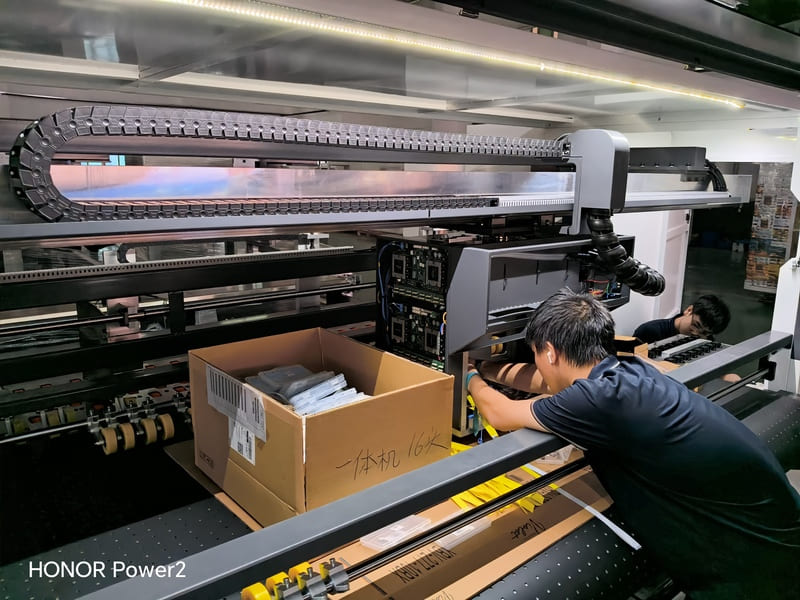
An energy-efficient digital printing machine is not a machine with a low-power sticker on the door. It is a machine whose biggest electrical loads have been designed to do work only when work is being done. Anyone can quote a consumption figure; the useful question is where the power actually goes, and whether the design reduces it during the hours when the press is not printing. On a plant running multiple shifts, that second part often matters more than the first.
I have spent 15+ years on the export side of packaging machinery, and energy questions have moved from the last page of a specification to the first. Customers now ask about running cost before they ask about print speed, and they are right to. Electricity is one of the few production costs a plant can reduce without touching quality, throughput, or headcount. Let me break down where the electricity goes and what to look for.
In one sentence: curing is the largest electrical load on a digital press, transport and vacuum come next, and the difference between two otherwise similar machines usually shows up in idle and standby behaviour rather than in peak draw.
Why "Energy-Efficient" Needs a Breakdown, Not a Label
Two presses can draw similar peak power and consume very different amounts of energy across a week. The difference is not in the headline number; it is in how each subsystem behaves when the machine is warming up, running a job, changing a job, or sitting idle between orders. A plant running many short jobs spends a surprisingly large share of the week in the last three states, and a press designed for long uninterrupted runs may be inefficient in exactly those conditions.
This is why we usually ask customers to describe their day before discussing consumption. If a machine changes jobs every twenty minutes, the energy behaviour of the changeover matters. If a machine runs the same job for a full shift, warm-up and steady-state behaviour dominate. The same press can be the right choice for one and the wrong choice for the other.
Where the Power Actually Goes
The table below sets out the main electrical loads on an industrial inkjet press, in the order of significance we see in practice. The percentages would vary between models, so treat the ranking as the useful information rather than a fixed split.
| Subsystem | Relative load | What governs how much it uses |
|---|---|---|
| Curing system | Largest single load | Lamp or LED technology, dwell time, and whether curing runs only when board is present |
| Transport and vacuum | Significant and continuous | Number of vacuum zones and motors actively under load at the current print width |
| Compressed air | Moderate, often underestimated | Leaks in the plant supply and whether the machine is fed by a shared compressor |
| Head electronics and control | Small but constant | Whether the control system shuts down cleanly between jobs or stays fully powered |
| Ink system heating | Varies with ambient conditions | Shop temperature and whether ink lines are kept warm during downtime |
Curing: The Biggest Draw and the Biggest Opportunity
Curing dominates the electrical profile because it has to deliver enough energy to set ink in the fraction of a second during which the board passes underneath. Two design decisions change the outcome substantially. The first is the light source: LED-based curing arrays convert a higher proportion of the electricity they draw into useful curing energy and do not need the warm-up period that lamp systems require, which reduces consumption both at start-up and during short jobs. The second is whether the curing system is modulated to the job. A curing array that runs at full output across the entire print width when the artwork only occupies half of it is wasting energy continuously, all shift.
This is where the phrase "energy-efficient digital printing machine" earns its meaning. Efficiency is achieved by matching the curing energy delivered to the board actually under the array, not by turning the system down and hoping the ink sets.
Transport, Vacuum, and Air
Holding board flat and still through the print zone requires vacuum, and vacuum requires motors. This is a load that runs continuously while the machine is printing, which makes it the second-largest consumer over a shift. The design question is whether vacuum zones are enabled selectively. A press printing 264 mm wide board has no reason to pull vacuum across a 1050 mm platen, yet machines without zone control do exactly that. Our platforms cover a range of print widths precisely because the right answer is to match the machine to the job rather than to buy the maximum width and pay for it in vacuum and ink.
Compressed air deserves its own line. Many plants run a central compressor feeding the whole factory, and leaks in that network can cost more than the machine itself. If a press uses air for tensioning or pneumatic clamps, checking the supply for leaks before blaming the machine is one of the simplest energy audits available.
Idle and Standby: The Cost Nobody Measures
This is the part of the energy story that separates machines with similar specifications. A packaging plant's press is not printing for the entire shift. It is printing, then changing jobs, then waiting for board, then waiting for the operator to finish a conversation with a supervisor. In a plant running many short jobs, those gaps can add up to a meaningful share of the day.
The one-minute job change is an energy feature as well as a productivity feature, and this is often overlooked. A changeover that finishes in a minute instead of fifteen does not just produce more boxes; it also means the curing system and the vacuum system spend less time running while no board is moving. Multiply that across a shift of short jobs and the saving is real. Similarly, whether the machine enters a genuine low-power state between jobs — rather than idling at full readiness — determines the cost of every gap in the schedule.
How to Compare Two Machines Honestly
Ask these questions of any supplier, and do not accept a single consumption figure as an answer. The questions are more informative than the number.
- What is the curing technology, and does it modulate output to the printed area? This is the single largest lever on consumption.
- Are vacuum zones enabled selectively for narrower board? A press that pulls vacuum across its full platen for every job is wasting energy on most of them.
- What does the machine draw while idle between jobs? Ask for the figure in the state your plant will actually be in, not the state a demonstration assumes.
- How long does warm-up take? A short warm-up benefits plants that start and stop, or that run short jobs all day.
- Does the machine use compressed air, and at what consumption? Then check your own supply for leaks, because that is where the money often goes.
Configuring an Energy-Efficient Digital Printing Machine
Energy efficiency starts at the configuration stage, before the machine is built. Match print width to the widest artwork you actually run — a wider machine that is always used at half its width pays a permanent penalty in curing energy, vacuum, and ink. Choose scanning or single-pass operation against your real run lengths rather than against the maximum the platform can reach; a single-pass platform is the right tool for sustained volume, while a scanning configuration is often a better fit for a schedule built on short jobs and frequent changes. And if your plant already runs an ERP system, connect to it, because a machine that receives job data automatically spends less time sitting idle waiting for an operator to key it in.
Our full range spans scanning, single-pass, and two-in-one platforms — the two-in-one configurations let a single machine switch between high-resolution scanning quality and single-pass speed, which is one way to avoid running an oversized platform for small jobs. Compare head families on our printhead overview, or look at the multi-pass platforms and single-pass platforms side by side.
A Plant That Found the Problem in the Schedule
A converter in Southern Europe approached us convinced their digital press was consuming too much power. The machine was behaving exactly as specified. The problem was the queue: their scheduling had been built around the flexo line, where jobs were grouped so that plates could be changed as rarely as possible. On a digital press, that logic was backwards — it created long idle gaps between large batches instead of using the fast changeover to run small jobs back to back.
Regrouping the digital queue around changeover efficiency rather than plate economy changed the plant's energy profile without touching the machine. Jobs ran consecutively instead of being spaced out, curing and vacuum systems spent far less time running with no board, and throughput improved at the same time. Their conclusion was more useful than anything we could have told them upfront: on an energy-efficient digital printing machine, the schedule is part of the machine.
FAQ — Energy Use on a Digital Press
Is UV curing the biggest energy user on a digital press?
Yes, in almost every configuration we see. It is also where design choices make the most difference, particularly whether curing output tracks the area actually being printed.
Does a wider press always use more energy?
Not always, but a press used far below its width pays a penalty. Curing and vacuum systems sized for the full platen do not shrink when you print narrow board, unless the machine is designed to enable zones selectively.
How much does idle time matter?
More than most plants expect. A press that sits fully powered between many short jobs can consume a meaningful share of its energy without printing anything, which is why fast changeovers and clean standby states matter.
Can scheduling really change energy consumption?
Yes. Grouping jobs to minimise changeovers is a flexo habit. On a digital press, running small jobs consecutively reduces both changeover time and the periods when curing and vacuum run without board.
Final Word: Efficiency Is Designed In, Not Added On
Energy efficiency on a digital press is a design and scheduling question, not a label. Look at the curing system first, then vacuum and air, then the idle behaviour, and finally at how the machine fits the way your plant actually works. An energy-efficient digital printing machine is one that stops consuming when it stops working — and the fastest way to get there is to match the machine, and the schedule, to the job.
If you want a straight answer on running cost, send us your shift pattern and your typical job lengths rather than asking for a consumption figure. That is the information that determines which configuration will actually be efficient in your building.
Trying to reduce running cost per box?
Compare curing systems, width options, and the two-in-one platforms that avoid running oversize equipment for small jobs.
Compare Efficiency OptionsSend us your shift pattern, not a power figure
Tell us how many jobs you run per shift and how long each one takes, and we will point you to the energy-efficient digital printing machine configuration that fits.
Ask for a Running Cost Review